


Get to know more about my background and expertise
Computer Science Graduate
I'm a Computer Science graduate from Esoft Metro Campus, focused on user-centered design and practical development.
I enjoy creating clean interfaces, building reliable web solutions, and analyzing data to find meaningful insights.
My journey in tech is driven by curiosity and a passion for solving real-world problems.
My goal is to become an AI Engineer, specializing in Machine Learning and developing intelligent solutions
that make a positive impact. I'm passionate about exploring neural networks, deep learning, and creating
AI systems that solve complex challenges.
Skills & Technologies
Tools and technologies I work with
Programming Languages
Python
JavaScript
PHP
HTML5
CSS3
Tools & Technologies
MySQL
Figma
VS Code
Power BI
SPSS
Visual Studio
Soft Skills
Problem Solving
Teamwork
Research
Project Management
AI Tools I Use
AI tools help me do my work 10x faster.
ChatGPT
Gemini
Cursor
Antigravity
Lovable
Bolt
Builder.io
Perplexity
Grok
GitHub Copilot
Projects
Showcasing my work and creative solutions
UI/UX
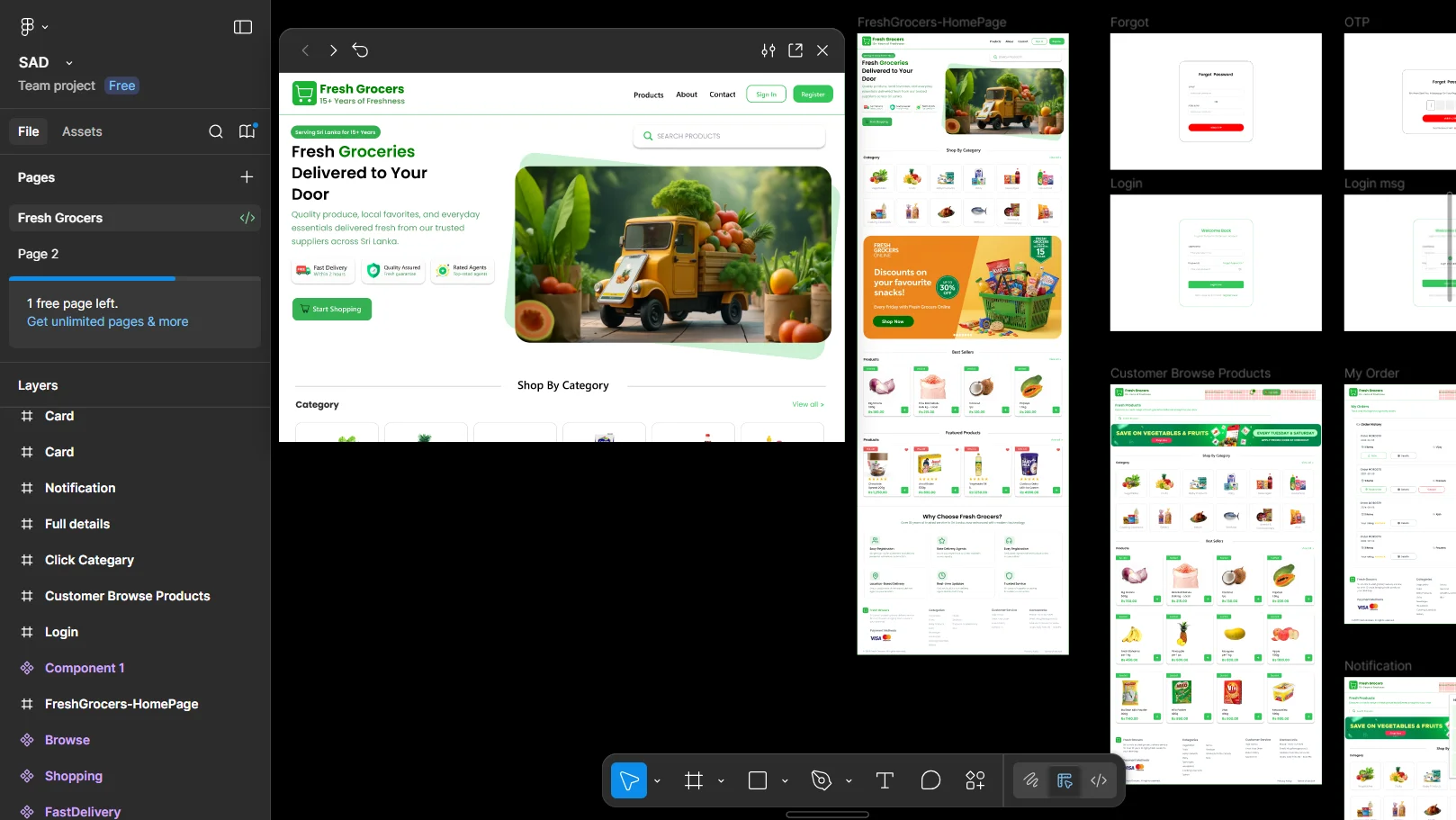
Fresh Groceries UI DesignImage Preview
Fresh Groceries - UI/UX Design
A clean and modern grocery website UI/UX designed using Figma, focused on intuitive layout, smooth navigation, and a user-friendly shopping experience. The design emphasizes fresh visuals, simple product discovery, and a well-structured flow to make online grocery shopping fast, convenient, and engaging for users.
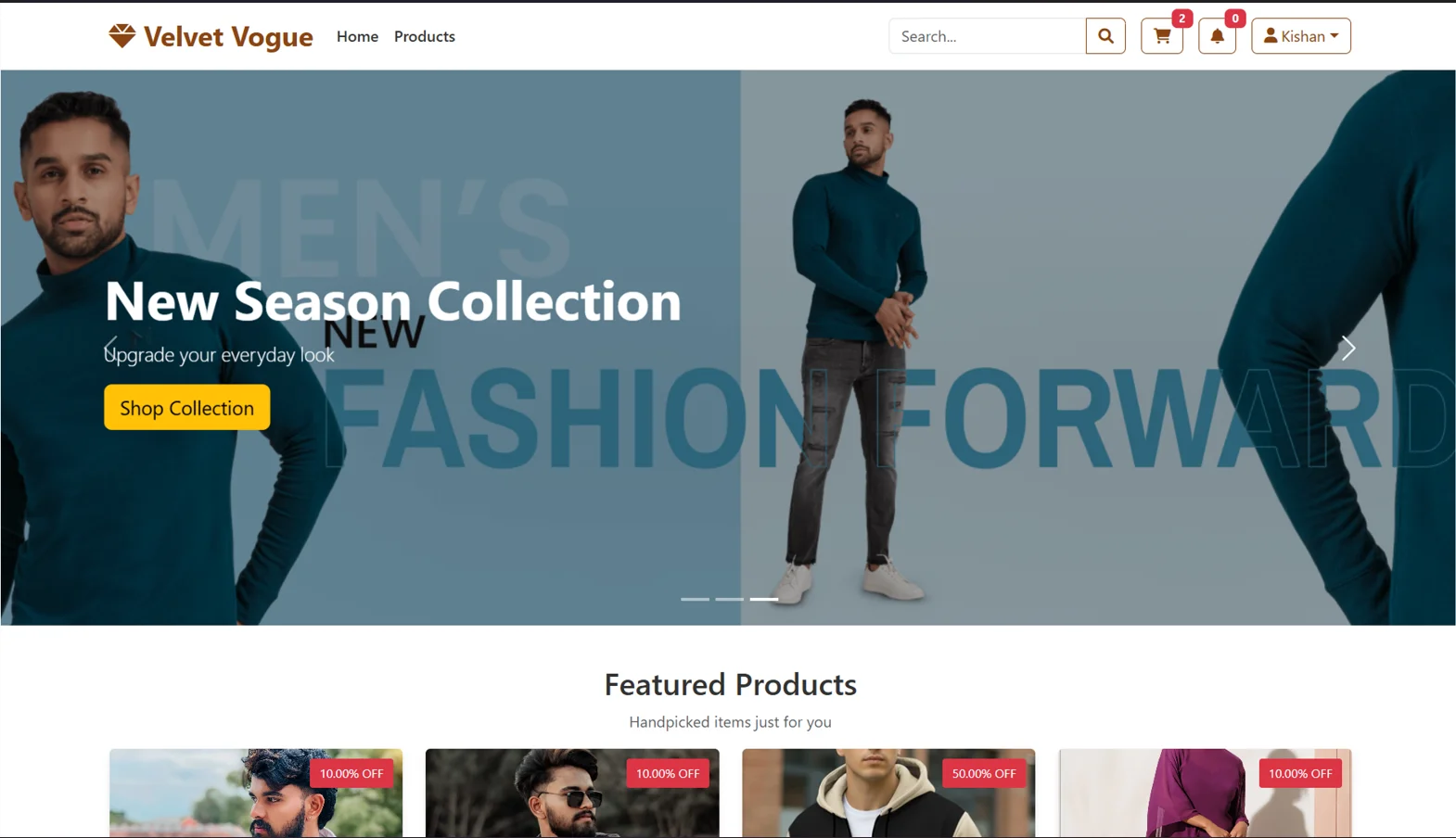
A modern and stylish fashion website developed using HTML5, CSS3, JavaScript, PHP, Bootstrap, MySQL, and smooth Parallax scrolling effects. The project focuses on responsive design, dynamic functionality, and an elegant user interface to deliver a seamless online shopping experience with structured product management and premium brand feel.
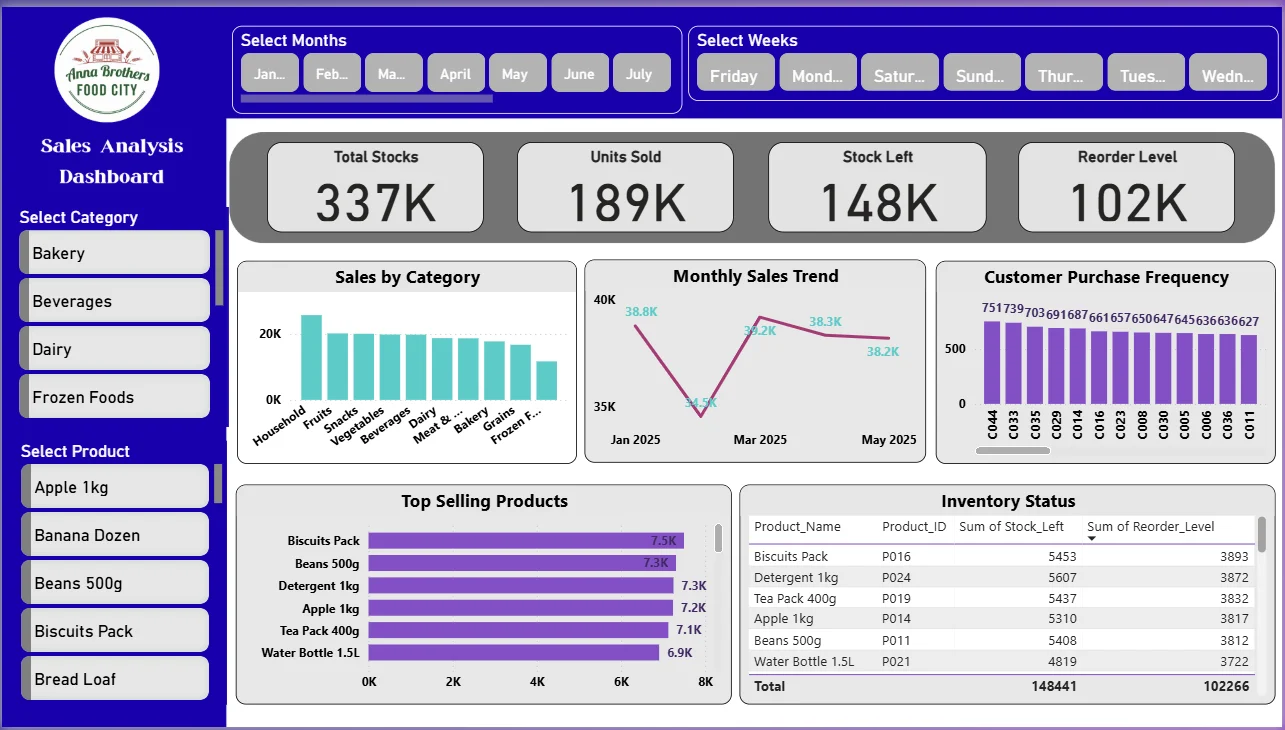
A comprehensive data analysis project focused on solving real-world business problems for Anna Brothers Food City using Power BI. The project involves data cleaning, visualization, and interactive dashboard creation to analyze sales performance, customer trends, and product insights, providing clear data-driven insights for better decision-making.
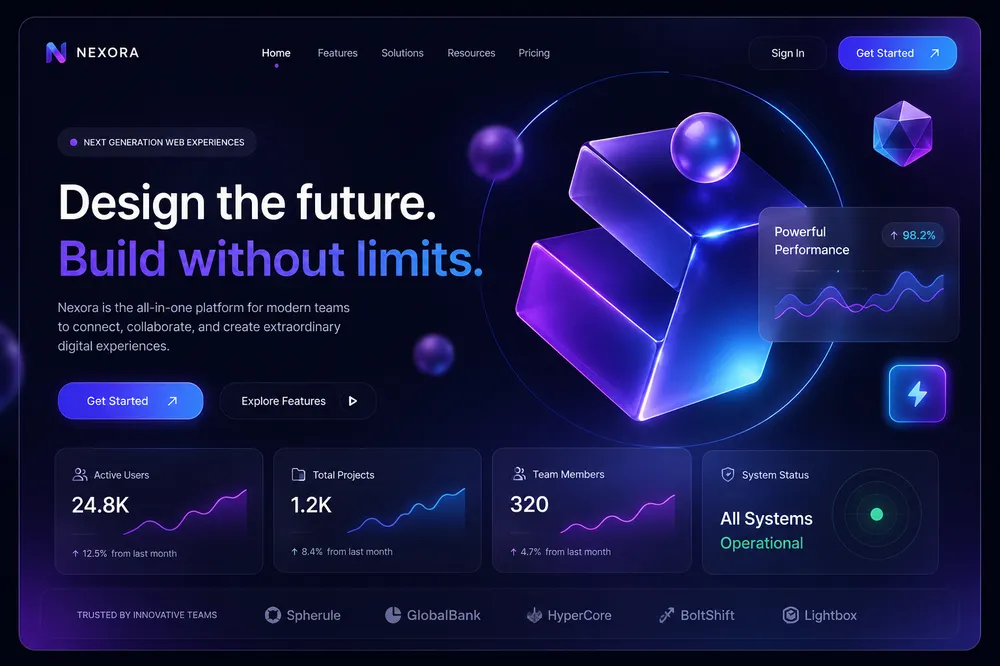
Exploring machine learning algorithms and deep learning frameworks as part of my journey toward becoming an AI Engineer. This research project focuses on neural networks, computer vision, and natural language processing applications to solve real-world challenges.
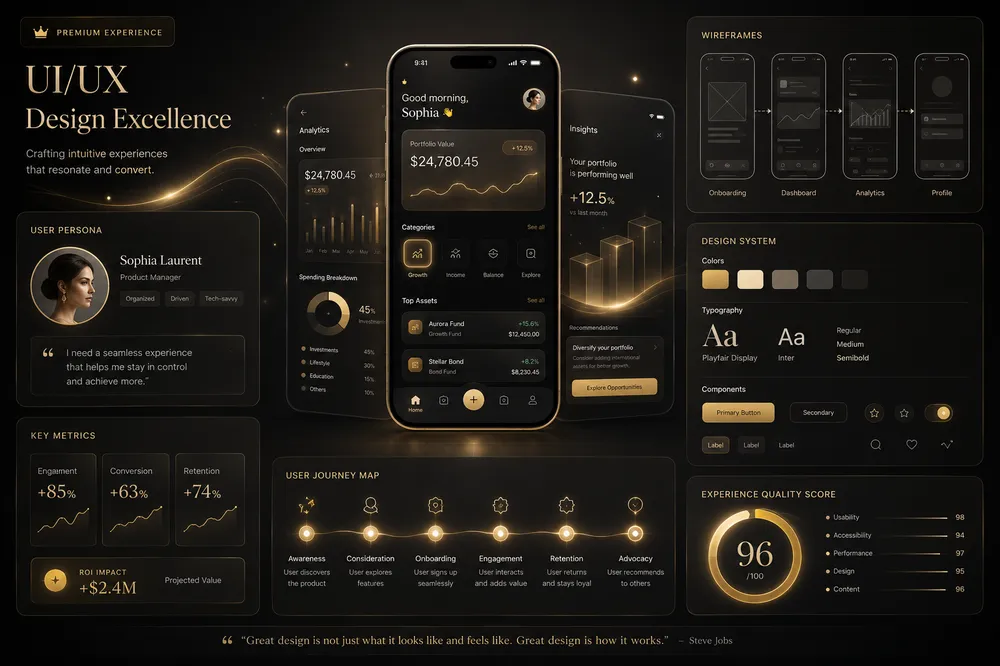
A collection of mobile application designs focusing on user experience, intuitive navigation, and modern design principles. These projects showcase responsive design patterns, micro-interactions, and user-centered design approaches for iOS and Android platforms.
Building scalable and secure REST APIs using modern backend technologies. This project demonstrates proficiency in API design, database integration, authentication systems, and deployment strategies for creating robust web services.
Thoughts, tutorials, and practical notes from my learning journey
UI/UX | 6 min read
How I design clean interfaces for better user flow
A simple framework I use to turn rough ideas into clear, user-friendly screen layouts.
In every interface project, I start by defining one primary user goal and two supporting goals. This keeps the screen structure intentional from the first wireframe. I map the content in visual priority order, then I build a layout where each section has a single purpose. I avoid placing equal emphasis on every element because users need guidance, not noise. Next, I build clear hierarchy using spacing, contrast, and consistent type scale. For forms and actions, I reduce cognitive load by limiting decision points, writing short labels, and placing buttons exactly where users expect them. I also validate the design with realistic mobile sizes early, because many layouts fail when translated from desktop assumptions. Before final delivery, I run a simple flow test with five tasks such as find product, compare options, add to cart, edit details, and checkout. If the user can complete each task without confusion, the interface is ready. If not, I revise components and wording before visual polish. Clean design is not only about style. It is about reducing friction, improving confidence, and helping users complete actions faster with fewer errors.
Web Dev | 7 min read
My approach to building responsive portfolio layouts
A practical setup for creating smooth, device-friendly websites with consistent spacing and hierarchy.
When I build a portfolio layout, I treat responsiveness as the core structure, not a final fix. I start with content blocks that can reorder naturally and I define width constraints early. Typography is scaled with clamp values so headings stay strong but never dominate small screens. I keep the navigation simple with clear touch targets and predictable spacing, then I test transitions to make sure motion feels smooth and not heavy. For sections, I use consistent vertical rhythm and limit card complexity so users can scan quickly. On mobile, I reduce visual clutter and keep primary actions visible without long scrolling. Performance is also part of responsiveness. I optimize images, prefer lightweight effects, and avoid layout shifts by reserving media dimensions. Before deployment, I test across multiple breakpoints and real devices to verify tap comfort, readability, and scroll behavior. A responsive portfolio should feel intentional on every screen size, not like a desktop page squeezed into a phone. Good responsiveness means users can understand the content fast, navigate confidently, and interact without friction regardless of device.
Data | 5 min read
Turning business data into clear decision insights
How I organize raw data, build dashboards, and highlight trends that teams can act on quickly.
My data workflow begins with one question. What business decision should this dashboard support. I then identify the exact metrics needed and remove columns that do not contribute to that decision. During cleaning, I standardize categories, fix missing values, and verify date formats to avoid misleading charts. After that, I structure the model so relationships stay simple and measures remain reusable. In the dashboard layer, I design for clarity before decoration. I use a visual hierarchy where the most important KPIs appear first, then trend charts, then drill-down tables. Every chart must answer a practical question such as which product grows fastest, where margin drops, or which customer segment is losing value. I avoid overloading filters and instead provide focused controls that match real user tasks. Finally, I validate with scenario checks and compare dashboard results against source totals to confirm accuracy. Good analytics is not about building many charts. It is about converting raw records into clear actions that teams can trust and execute quickly.
Today's Tech News
News from Google, Wikipedia, and other trusted tech sources for IT, Web Development, UI/UX, and AI